Advanced Settings
A hidden page for managing the name database — load thousands of extra names or clean up unused ones.
Unlocking It
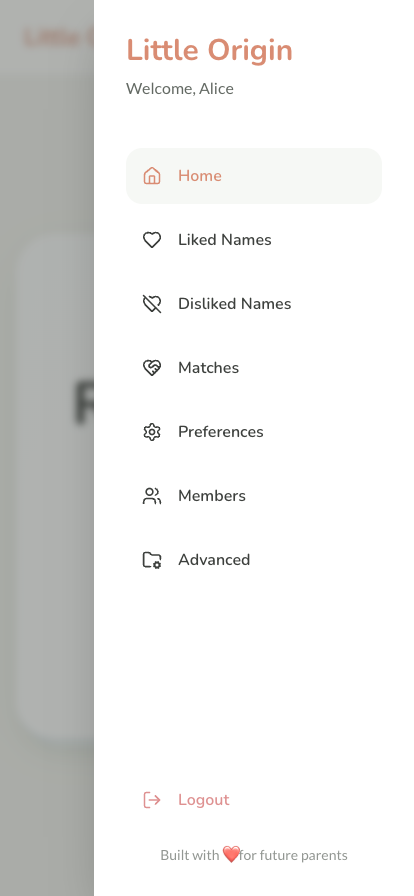
- Open the burger menu
- Tap "Built with ❤️ for future parents" at the bottom 5 times in a row (quickly — the counter resets after 2 seconds)
- Advanced appears in the menu
Loading More Names
Each country card shows how many names you have and a button to load the extended dataset — thousands more per country.
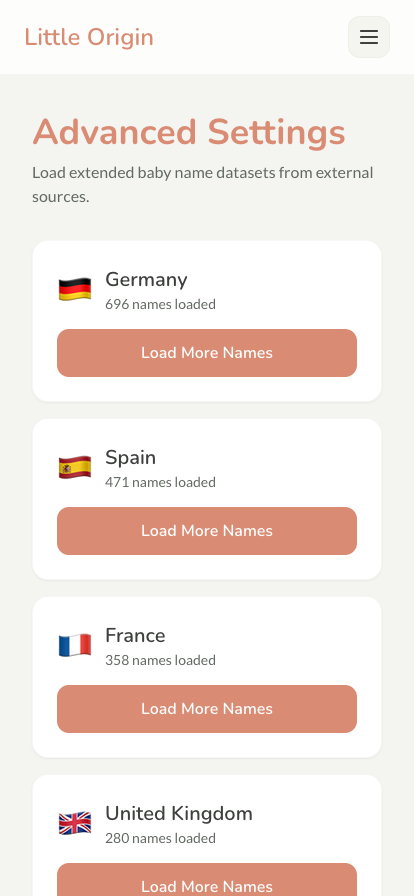
Names are downloaded, checked, and added with a live progress indicator. Keep using the app while it runs.
Pruning
Loaded too many? Prune Database deletes unused extended names while keeping everything that matters: liked names, matches, and the curated base set are never touched. It asks for confirmation — but once confirmed, it can't be undone.
Next Steps
- Name Data & Generator - How the datasets are built